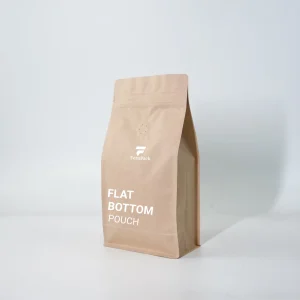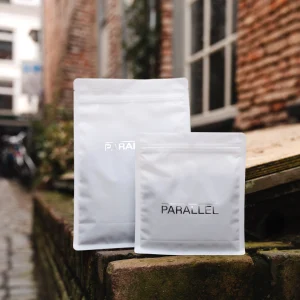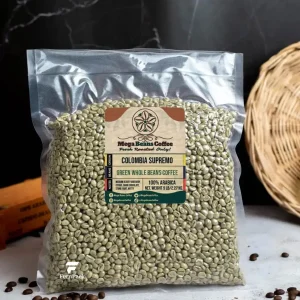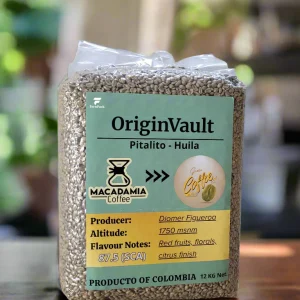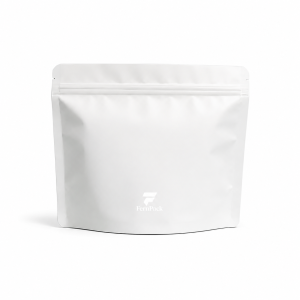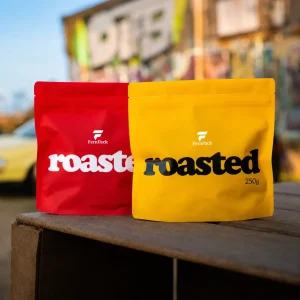
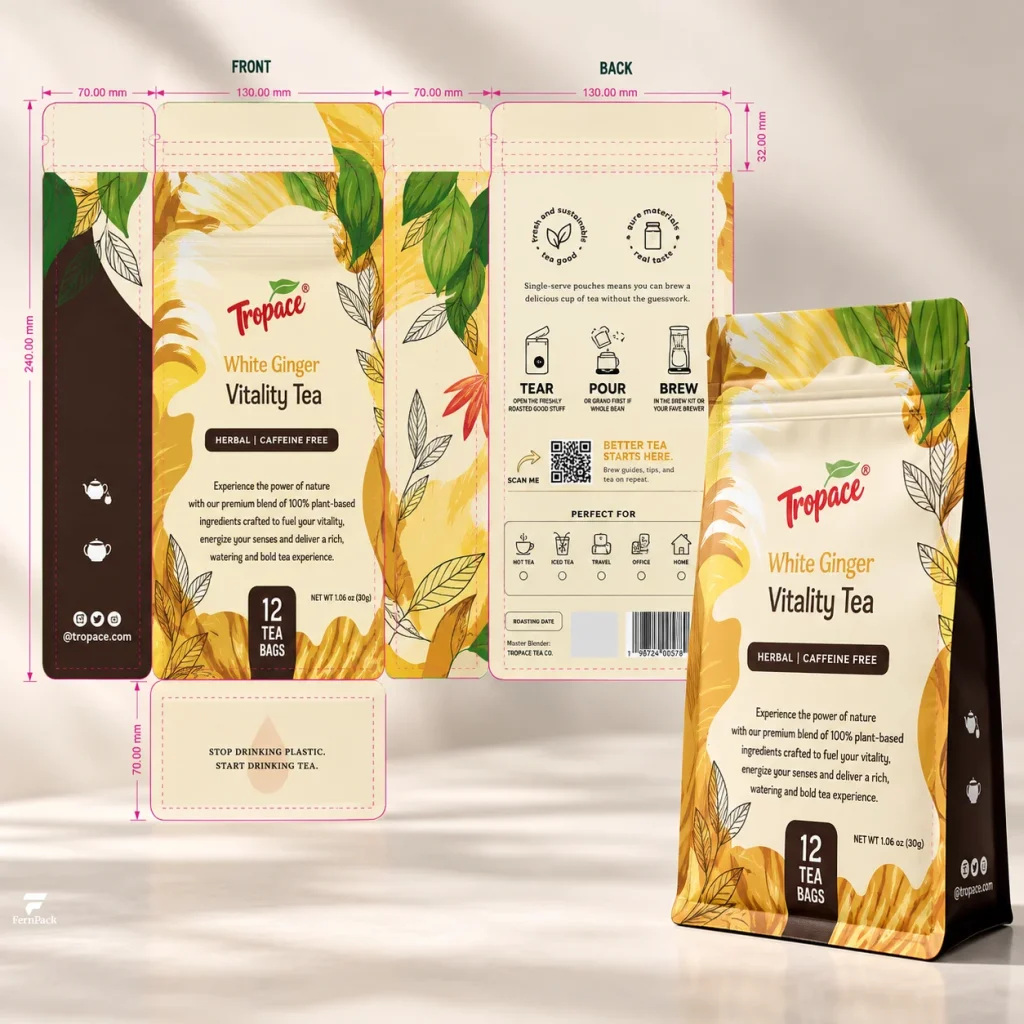
Your coffee bag design looks ready. The logo is in place, the colors work together, and the 3D mockup gives you a clear picture of how the finished packaging should look. But when you send it to your packaging supplier, you may be asked for an editable artwork file and a production dieline instead.
That’s because a design that looks finished isn’t necessarily ready for printing. Coffee bags are printed on flexible materials before being formed into their final shape. The artwork needs to fit the bag’s actual construction, account for seals and folds, and meet the technical requirements of the printing process.
Whether you’re launching your first custom coffee bag, updating an existing design, or moving production to a new supplier, preparing the artwork correctly can help prevent avoidable revisions and delays. The process involves more than exporting a design file, but it doesn’t have to be complicated.
Here are six steps to take your coffee bag artwork from the initial packaging specifications through to final production approval.
Step 1: Confirm your coffee bag specifications and get the correct dieline
Before your designer starts working on the artwork, it’s important to confirm the packaging specifications. The bag style, dimensions, and functional features all affect how the artwork is arranged, so a design prepared for one bag may not fit another without adjustments.
Start by sharing your intended coffee weight, preferred bag style, and any features you need, such as a zipper, degassing valve, or tin tie. You don’t need to have every dimension finalized at this stage. Your packaging supplier can help you confirm a suitable size and construction before preparing the dieline. For additional guidance, see our guide to choosing the right coffee bag size.
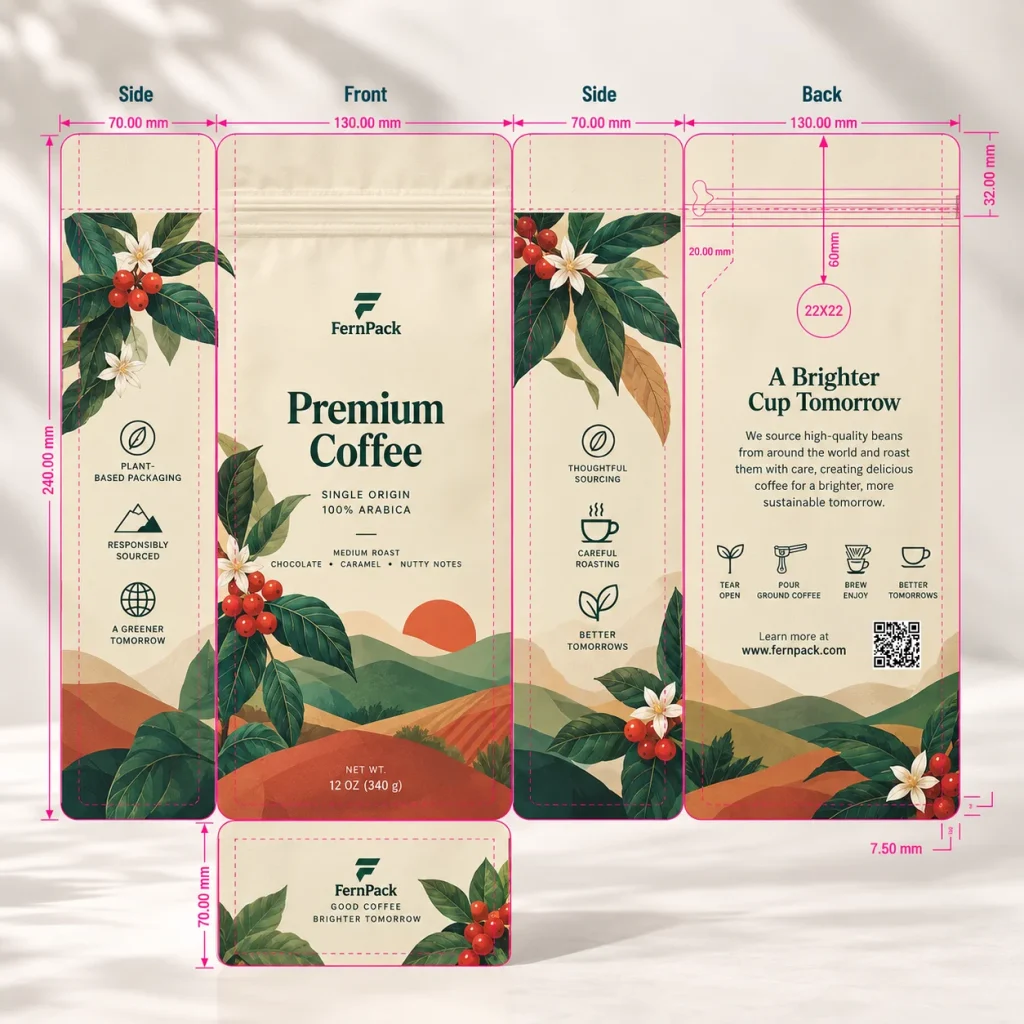
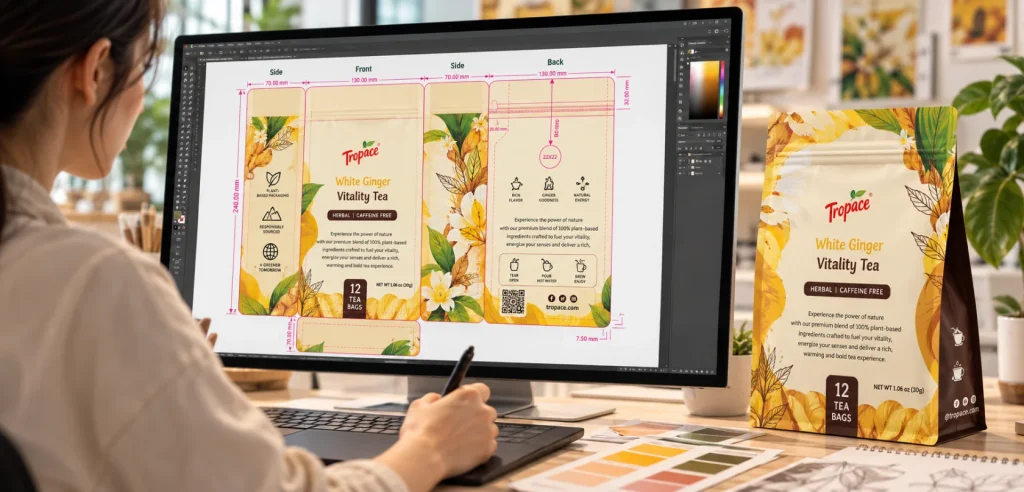
A dieline is the flat layout of the bag before it is formed. It shows the front and back panels, side or bottom gussets, sealing areas, and relevant functional features, depending on the bag construction. This allows your designer to position artwork according to how the finished bag will actually be made.
Once the specifications are confirmed, FernPack can provide the corresponding AI or PDF dieline. Share it with your designer along with your brand assets, product information, and any specific printing requirements so the artwork can be prepared on the correct production template.
Can you reuse artwork from an existing coffee bag?
Often, yes—but the existing artwork should be checked against the dieline for the new order.
For example, switching from a wide, short flat bottom bag to a taller, narrower version changes the proportions of the front panel and side gussets. Your logo, product name, and supporting graphics may need to be rearranged rather than simply resized.
Even when the finished dimensions remain unchanged, moving production to another supplier may require adjustments because construction details or component positions can differ.
A previous AI file is a useful starting point, but it shouldn’t be treated as an approved production template for a new order without checking it first.
At this stage, you should have confirmed packaging specifications and the correct dieline for your designer to work with.
Step 2: Build your design around the actual bag structure
With the dieline in place, your designer can arrange the artwork across the bag’s panels. This is where packaging design differs from designing a flat label or poster: the artwork needs to make sense after the printed material has been folded, sealed, and formed into a bag.
Consider a flat bottom coffee bag. The main logo and coffee name may appear on the front, product information on the back, and decorative graphics on the side gussets. These areas are connected in the flat artwork, but they become separate surfaces on the finished package.
A pattern that crosses from the front onto a side gusset can look attractive, but the fold changes how the pattern is seen. Similarly, information placed on the bottom panel won’t have the same visibility as content on the front or back when the bag is standing upright.
The goal isn’t to keep every design element within a single panel. It’s to understand how the artwork will appear on the finished bag and give important information the space and visibility it needs.
Check seals, folds, and functional features
Background colors and decorative graphics can often extend through sealing or folding areas, but logos, product names, and essential information should remain readable on the finished bag.
Pay particular attention to the positions of degassing valves and zippers. A valve placed over part of a logo can interrupt the branding, while a zipper may limit the usable space near the top of the bag. These details are easier to accommodate during design than after the artwork has been approved.
Barcodes also need sufficient size, contrast, and clear space around the symbol for reliable scanning. Avoid placing them across folds, seals, or other areas that may interfere with readability. GS1 provides further guidance on barcode print quality and placement.
The required clearances depend on the bag construction and production specifications. Rather than applying a universal safety margin, follow the supplier’s dieline and clarify any uncertain areas before completing the layout.
A 3D mockup can help you review the intended appearance from different angles, but it doesn’t replace the production dieline. Using both gives you a better understanding of how the design relates to the finished packaging.
The result should be a layout that works with the actual bag structure, not just one that looks balanced on screen.
Step 3: Prepare your artwork files for printing
Once the layout is complete, the artwork needs to be prepared in a format suitable for prepress review. A design can look correct on the dieline and still contain low-resolution images, missing fonts, or color information that needs attention.
File formats, images, and fonts
For custom printed coffee bags, FernPack accepts Adobe Illustrator (AI) and editable PDF artwork files. These allow the prepress team to review the design and make any necessary adjustments for production.
You don’t necessarily need to use professional design software to develop your initial concept. Tools such as Canva can be useful for creating packaging designs, particularly for smaller coffee brands. However, a PDF exported from Canva isn’t automatically print-ready. The file still needs to be checked for correct dimensions, image quality, fonts, colors, and compatibility with the production dieline. Depending on how the design was created and exported, additional preparation may be required.
The same applies if you only have a JPG, PNG, or 3D packaging mockup. These files can communicate your intended design, but they aren’t substitutes for complete production artwork. Your designer may need to rebuild or adapt the design using the correct dieline before it can proceed to printing.
Image quality is another important consideration. Photographs and other raster images should be at least 300 DPI at their final printed size. Enlarging a small image can reduce its effective resolution, even when it looks clear on screen. Logos, text, and illustrations are best kept in vector format wherever possible to maintain sharp edges and fine details.
Fonts should be embedded or converted to outlines, depending on the file format and prepress requirements, to prevent missing fonts or unexpected substitutions. Your designer should retain an editable copy for future revisions. Any linked images should be embedded or supplied with the AI file. Adobe Illustrator’s packaging feature can help collect linked assets and fonts for handover.
If you’re still deciding which printing process suits your project, our guide to digital vs gravure printing for coffee bags explains how the two methods differ in setup, order quantities, and production requirements.
Prepare colors for the selected packaging material
Coffee bag artwork is commonly prepared in CMYK, although spot colors may also be used depending on the printing process and design requirements.
The same design can look different when printed on white film or natural kraft paper. Transparent and metallized materials may also require white ink in certain areas to achieve the intended colors or opacity. Matte and glossy finishes can further influence how the printed colors appear on the finished bag.
Special printing effects, such as spot UV, metallic details, or selective gloss treatments, should be discussed with your supplier during artwork preparation. Depending on the process, their application areas may need to be identified in separate artwork layers.
If your brand relies on specific colors, provide Pantone references or an existing printed packaging sample. A physical sample is particularly useful when moving production to a new supplier, as it provides a reference for the colors your customers already associate with your brand. However, exact color matching cannot always be guaranteed across different materials and printing processes.
The selected packaging material, critical color requirements, and any special printing effects should be confirmed before the final artwork is approved, rather than leaving these decisions until production begins.
At this point, your designer should have an editable artwork file prepared on the correct dieline, ready for the supplier’s technical review.
Step 4: Organize and submit your artwork files
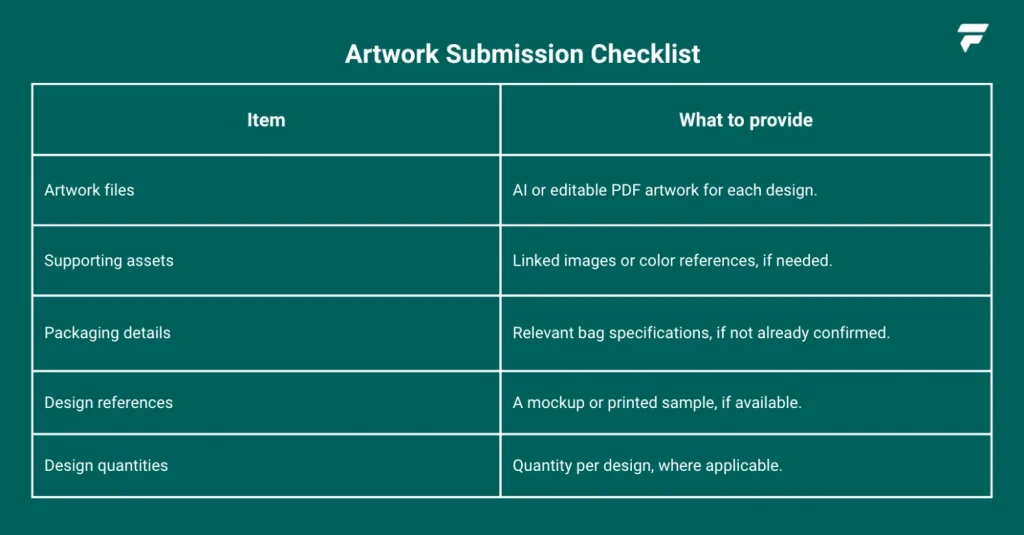
Once your artwork is prepared, the next step is to send it to your packaging supplier for prepress review. A clear submission helps the supplier match each design to the correct bag specifications and identify which files should be reviewed, particularly when an order includes multiple coffee varieties or packaging designs.
What should you send to your packaging supplier?
For most custom printed coffee bag projects, the main requirement is the completed AI or editable PDF artwork prepared on the correct dieline. The checklist below summarizes the supporting information you may also need to share, depending on what has already been confirmed with your supplier.
Managing multiple coffee bag designs
For example, a coffee roaster may order 10,000 custom printed bags across four designs, with 2,500 bags for each coffee. All four designs may use the same bag size and material, but each should have its own artwork file.
Use clear file names to identify each coffee variety and design version. When submitting revisions, indicate which files replace earlier versions to avoid confusion during prepress review.
For orders with multiple SKUs, make sure each artwork file is clearly matched to the corresponding design and agreed quantity.
Step 5: Work through prepress review with your supplier
Submitting artwork is the beginning of the production review process, not the final approval.
During prepress review, the packaging supplier checks whether the artwork is suitable for the selected printing method and the agreed bag specifications.
This typically includes reviewing file quality, dimensions, color information, and the placement of design elements around seals, folds, and functional components.
If something needs attention, the supplier may request an updated file or discuss an adjustment with your designer.
For example, an image may have insufficient resolution at its final printed size, or an important design element may sit too close to a folding area. The issue may be resolved with a small change, but it still needs to be addressed before the artwork is approved for production.
Any adjustment that affects the intended design or printed content should be confirmed with the customer rather than made without approval.
From submitted artwork to final production artwork
After the necessary checks and revisions, the supplier prepares the final production artwork. At FernPack, the final production artwork is reviewed alongside the relevant manufacturing specifications, including bag dimensions, material structure, printing requirements, and the positions of features such as zippers and degassing valves.
This is different from the presentation mockup used during the design stage. The mockup communicates how the finished packaging is intended to look, while the final production artwork provides a shared reference for the design and specifications that will be used in manufacturing.
The supplier’s prepress review helps identify technical issues, but it doesn’t replace the brand’s responsibility to confirm the accuracy of its printed information.
For that reason, the final production artwork should be returned to the customer for review and approval before printing begins.
Step 6: Check and approve the final production artwork
The final approval stage is where you confirm that the production artwork matches what your brand intends to manufacture.
Start with the printed content. Check coffee names, origins, product descriptions, net weights, and any other information that appears on the packaging. Verify barcode data and review its placement.
Next, check the overall layout across the relevant panels. Make sure the logo, graphics, and product information appear where intended, and that functional features don’t interfere with important design elements.
Finally, confirm that the bag dimensions, material structure, printing specifications, and features such as zippers and degassing valves match the agreed order. Any special finishes, such as spot UV, matte or gloss effects, or metallic details, should also be checked against the approved design requirements.
If your order contains multiple designs, approve each one individually. Sharing the same dieline doesn’t mean the printed information is identical, and a mistake in one SKU may not appear in the others.
For gravure printing, careful approval is particularly important. Once printing plates have been engraved, changes to the artwork may involve additional costs and production delays.
When is a printed film proof useful?
An electronic artwork proof allows you to review the layout, text, and production details, but it cannot fully represent the printed appearance on the actual packaging material.
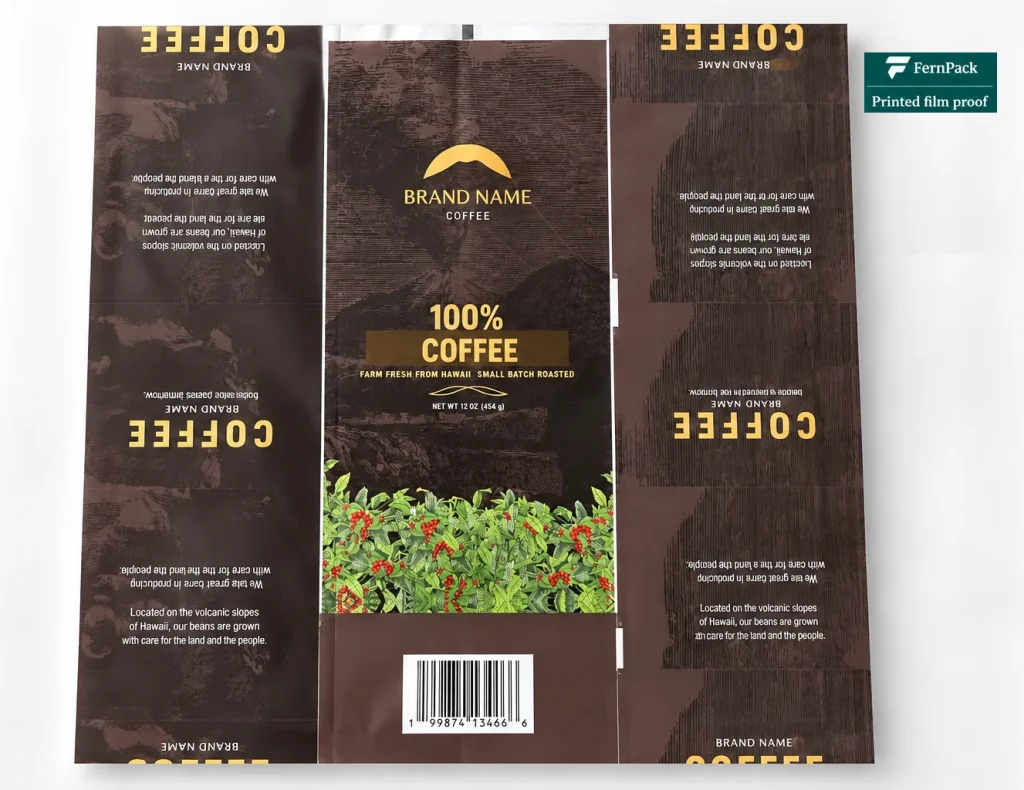
For projects where color accuracy or printed appearance is particularly important, FernPack can arrange a printed film proof before mass production. The proof is printed on the same outer printing film used in the final packaging structure, but it is not laminated with the remaining material layers.
This allows you to review printed colors, image details, and overall print quality on the intended outer film before lamination. It can be useful for a new design, critical brand colors, or a material the brand hasn’t previously used.
However, a printed film proof is not the same as a finished bag sample. The appearance may change after lamination, particularly when the final structure includes metallized or other visually distinctive layers. An unlaminated film proof also cannot demonstrate the finished bag’s construction or sealing performance.
Printed film proofs are optional, and their cost and lead time should be confirmed in advance. If your production timeline is tight, you can proceed directly to mass production based on the approved final artwork without requesting a printed film proof. In either case, the final production artwork should be carefully reviewed and approved before printing begins.
Final artwork checklist
Before submitting your artwork or approving the final production files, use this checklist to make sure the essential details have been covered.
- Bag specifications: Confirm the bag style, dimensions, and functional features match the agreed specifications.
- Dieline and layout: Check that the artwork follows the correct dieline, with important design elements positioned away from sealing areas, folds, and other restricted areas.
- Artwork files: Prepare AI or editable PDF files with suitable image resolution, fonts, linked assets, and color references.
- Print finishes and special effects: Confirm the intended matte or gloss finish, spot UV, metallic effects, and any other special treatments. Make sure their application areas are clearly identified in the artwork where required.
- Multiple designs: Make sure each SKU has the correct artwork file, clear identification, and latest revision.
- Prepress adjustments: Review and resolve any technical issues or proposed changes before approval.
- Final approval: Verify all printed information, barcodes, artwork placement, and design versions before authorizing production. Consider a printed film proof when additional visual confirmation is needed.
Getting your coffee bag artwork ready for production
Preparing print-ready coffee bag artwork doesn’t require you to become a printing specialist. What matters is starting with the correct packaging specifications, giving your designer the right production template, and knowing which details need to be checked before manufacturing.
A clear artwork handover and careful final approval help reduce avoidable revisions, prevent misunderstandings, and keep the project moving toward production.
If you’re preparing artwork for a new coffee bag project, share your preferred bag style, coffee weight, and functional requirements with FernPack. We can help confirm the packaging specifications and provide the correct dieline before your designer starts.